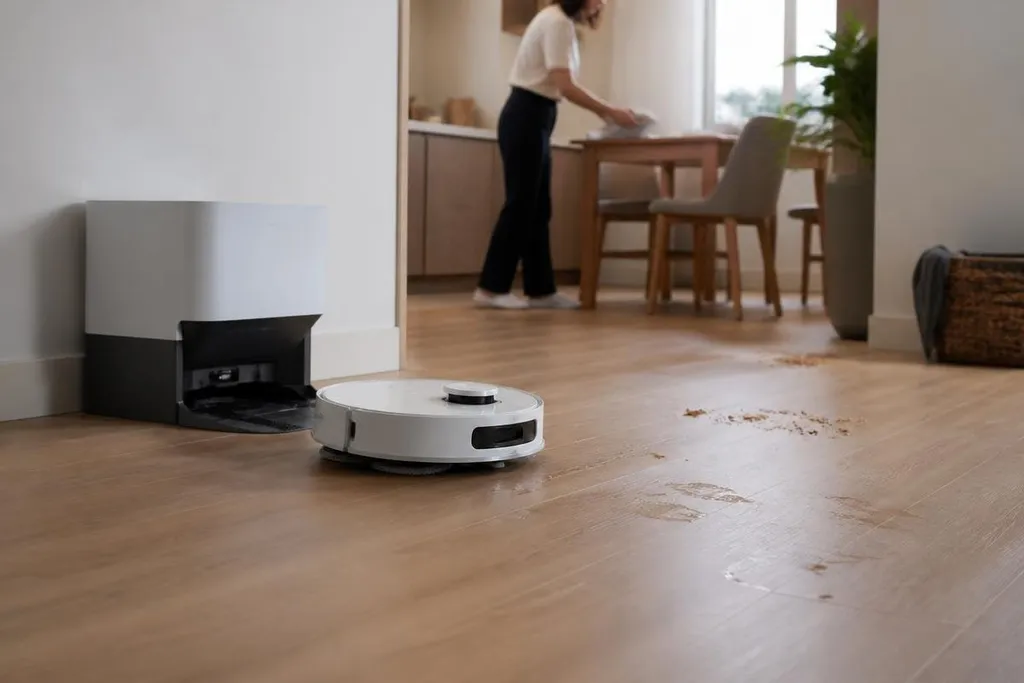
A cleaning robot can already vacuum, mop, return to a charging dock, and follow a set schedule. The next step is harder: it must understand a changing home or workplace well enough to clean the right area without constant help.
Quick read
- Floor cleaning is the starting point, not the whole task.
- Better sensing will matter more than higher motor speed.
- Human checks will remain part of many cleaning jobs.
From fixed routes to changing rooms
Most cleaning robots work best when the floor plan stays familiar. Cameras, LiDAR, bump sensors, and wheel motors help the robot map rooms, avoid objects, and return to its dock, but each part has limits.
A camera can spot an object, yet lighting changes what it sees. LiDAR measures distance with laser pulses, though a low object or dark surface can still cause trouble. A bumper sensor notices contact after the robot has already reached the obstacle.
That makes household clutter a real test. A cable moved across the floor, a chair pulled away from a table, or a wet patch near a sink can change the safest route. Future models will need to update their maps while they work and choose a slower path when the floor becomes uncertain.
The same problem appears in offices, hotels, hospitals, and shops. A robot that cleans an empty corridor at night has a much easier job than one working around people, carts, doors, and temporary barriers.
Cleaning is more than movement
Vacuuming and mopping are physical tasks. The robot must keep contact with the floor, carry dust or dirty water, detect a full bin, and avoid spreading a spill into a larger area.
A better cleaning robot will need to tell the difference between dust, loose paper, a cable, and liquid.
That requires sensing tied to an action. Depending on what it finds, the robot may need to pause, ask for help, change its tool, or return to its dock instead of carrying on with the same route.
Tool changes could widen the work a robot can do. A machine might use a vacuum head for dry dirt, a mop pad for hard floors, or a brush for edges. The open question is whether one body can handle those jobs without becoming too heavy, costly, or hard to maintain.
That test has to happen on real floors, where dust, spills, corners, and people can change the result. Robot24.com robotics coverage can tie cleaning claims to named machines, trial sites, dates, and maintenance records, so you can judge whether a robot keeps working after the demo ends.
The human handoff stays
People will still need to empty bins, refill water, clear tangled cables, and deal with objects the robot cannot classify. Better software can reduce those visits, but it cannot remove the need for a person when the robot finds a task outside its limits.
Commercial cleaning brings stricter demands. A facility manager needs records showing which rooms were cleaned, when the robot stopped, and why a task remains unfinished. The robot also needs safe behavior around people, especially in narrow corridors and wet areas.
Remote help may cover some failures. A worker could view the robot's camera feed, select a route, or confirm an object. That saves a visit, but it still leaves a labor cost and a network connection to manage.
I’d skip any cleaning robot whose main promise is that it needs no human help. The better measure is how clearly it reports a problem and how quickly a person can fix it.
What will decide the next models
The useful gains will come from small details that affect daily work. A dock that washes and dries a mop can reduce handling, but it also adds filters, pumps, noise, and parts that need care.
Battery life matters in the same practical way. A robot that stops often to charge covers less floor during a work period, while a larger battery adds weight and cost. Makers will have to choose between longer runs, smaller bodies, and lower prices.
Software updates may improve object recognition and route planning, yet owners need clear records of what changed. A new update should not alter cleaning schedules or map data without notice.
A buying checklist
Before choosing a cleaning robot for a home or site, check:
- Floor types: Confirm that the robot supports the surfaces in the rooms you need cleaned.
- Obstacle handling: Test how it deals with cables, low objects, thresholds, and wet patches.
- Dock work: Check which tasks the dock performs and which tasks still need a person.
- Failure reports: Look for alerts that name the problem instead of showing a generic error.
- Parts and service: Check the price and supply of brushes, filters, pads, batteries, and wheels.
- Data control: Find out where maps and camera images are stored and who can access them.
Cleaning robots will improve when they can make fewer wrong decisions, recover from ordinary changes, and tell people when they need help. The next useful question is not whether a robot can clean a floor, but how many minutes of human work it needs per cleaning run.